Follow these steps to complete your requirements and get your driver’s licence back
Your driver’s licence has been suspended due to an impaired driving offence.
To regain your driving privileges, you must complete Alberta’s legal requirements.
If you have any questions relating to requesting a review of the administrative penalty, paying the fine or requesting more time to pay, please contact SafeRoads Alberta.
This may include:
- payment of fines
- completion of a remedial education course.
- installation of an ignition interlock device, if required

Your Notice of Suspension or Notice of Administrative Penalty outlines exactly what you must do to get your licence back. This is your most important document.
If you’re starting here, begin by reviewing your notice carefully.
It will tell you:
- how long your licence is suspended
- which course you must complete through the Alberta Impaired Driving Remedial Education Program (AIDREP) (Planning Ahead, IMPACT, or Crossroads)
- if you are required to install an ignition interlock device
These requirements are identified in Alberta’s impaired driving penalties, which outlines all conditions for licence reinstatement. AIDREP is the education component, and you will register for your course separately.
If you have questions or need help understanding your notice, you can:
- visit any Alberta registry office
- contact Driver Monitoring and Compliance for clarification
⚠️ Make sure you understand your notice before moving forward—it determines your next steps.
Have you received your Notice of Suspension?
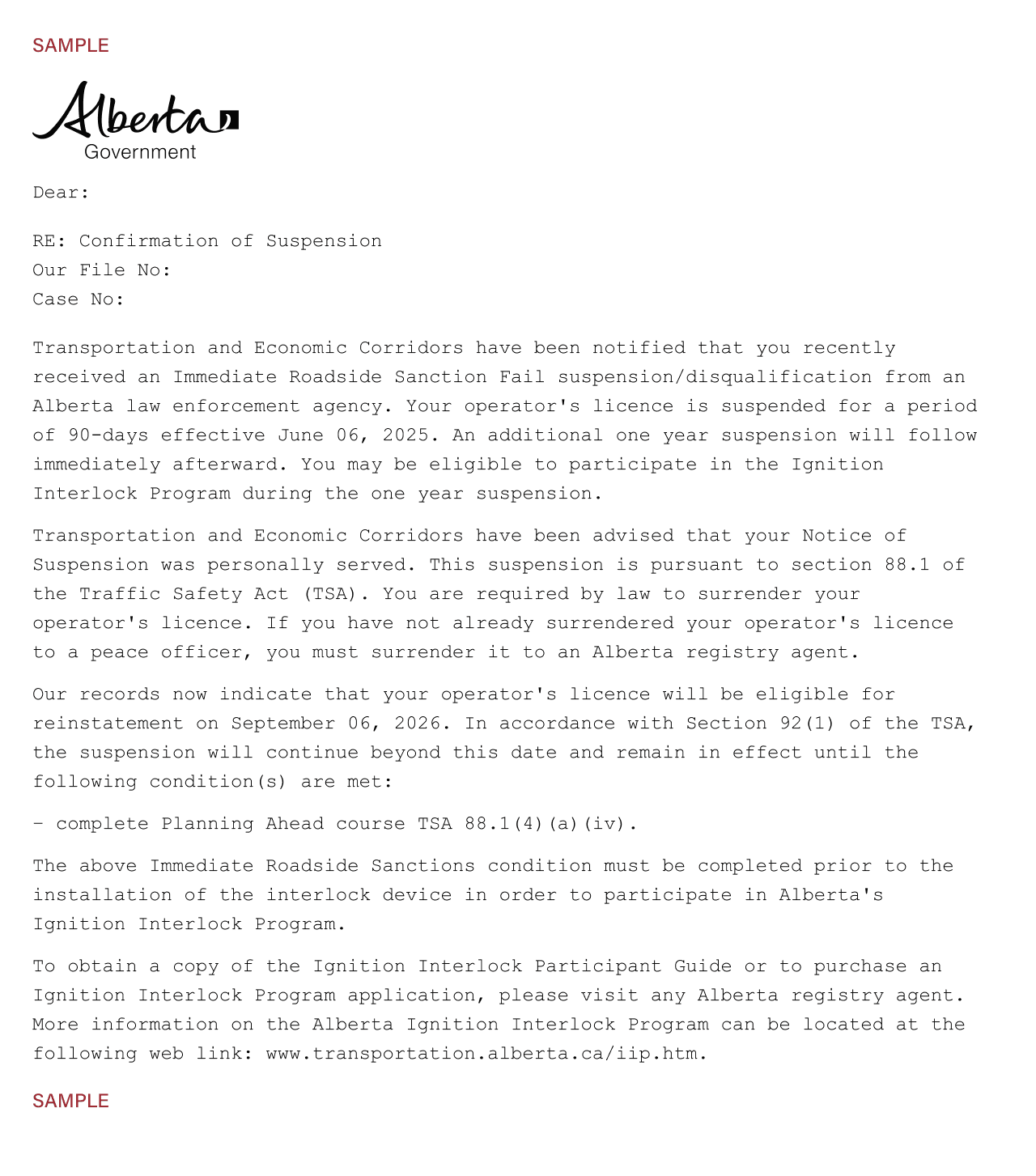
Your required course is delivered through the Alberta Impaired Driving Remedial Education Program (AIDREP). You can register at any time after your suspension begins.
How to register:
- Online
- Phone: 780-430-8811 or 1-800-272-5698
After registering online, a member of our team will reach out to schedule your course.
⚠️ Important: Ignition Interlock Timing (Jump to step 5)
If your Notice of Suspension/Administrative Penalty requires an ignition interlock device, you should plan ahead.
You can apply for the Ignition Interlock Program at an Alberta registry, once you are within the last 30 days of your 90-day suspension if you are taking the Planning Ahead course only.
If you are taking the IMPACT course, you must complete your remedial education program before applying for the ignition interlock device, otherwise your application will be denied.
Attend and complete your assigned course (online or in person).
After completion:
- you will receive a Completion Letter by email the same day you finished the course
- your completion letter will need to be taken to a registry office in person to update your records
- keep the letter. You will need it for ignition interlock device installation (if you are having one installed in your vehicle)
- if you were in Planning Ahead, you can, at any time in the last 30 days, apply for the Ignition Interlock Program
- if you completed IMPACT you can now apply for your ignition interlock device.
⚠️ Important Timing Rule:
- Do NOT apply earlier than 30 days before your IRS:FAIL suspension ends—your application may be denied.
- You may apply to the Mandatory Ignition Interlock Program (IIP) participation stream upon completion of the minimum prohibition/suspension term as indicated on the Order of Driving Prohibition Against an Offender, received in court.
Mandatory Ignition Interlock Program
Steps:
- Go to a registry office to purchase the IIP application.
- Pay the required processing fee.
- Submit the application to Driver Monitoring and Compliance by email or mail.
- Wait 1 to 2 weeks for approval.
After approval:
- Contact Smart Start Canada to book your installation online or by phone at 844-432-4776.
- Do NOT book your installation until you are approved.
- Schedule installation once you have completed your mandatory Alberta Impaired Driving Remedial Education Program.
If you have been issued an Immediate Roadside Sanction (IRS) : FAIL and you choose not to install an ignition interlock device:
- you must wait out your full suspension period before you can apply to have your licence reinstated
If you have received a Criminal Code conviction and your suspension requires an ignition interlock device:
- it must be installed before you can get a restricted licence.
You are eligible once:
- you have been approved for the IIP
- your AIDREP course is complete
- your ignition interlock device is installed (if required)
Steps:
- Get Certificate of Installation from Smart Start Canada.
- Take the Certificate of Installation to a registry office, with proof of insurance and registration.
- Obtain your restricted licence.
Important:
- Do NOT drive until you have your restricted licence.
- Arrange for someone to drive you to installation and after to the registry.
Once you have completed your term with the ignition interlock device and your full program:
Final steps:
- Attend a Smart Start location for final download and device removal (if approved).
- Visit a registry office.
- Have a licensed driver take you to a registry office to remove the interlock restriction and issue your licence.

Unsure which course you should enrol in?
Answer a few short questions to discover which course is right for you.
Start your journey here
1. Do you know which program you are required to take?
2. Have you spoken with a registry agent or received a letter from the government confirming which program you are required to take?